Unit VI Louisiana's Musical Landscape
Lesson 6 Louisiana's Legendary Musicians

Constructing a Musical Legend Resumé Card

Name ______________________________________           Date ____________________

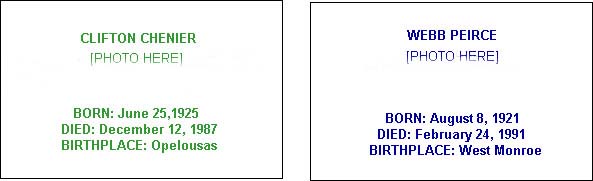
1. Print the Musical Legend Resumé Cards page. Notice how each card gives important information about a famous Musical Legend.

2. Research other Musical Legends on the Internet by following theses steps:

3. Open a new word processing document in Microsoft Word or Appleworks.

4. From the Table menu, select Insert Table. From the menu that appears, select Number of Columns 3, and Number of Rows 1, then click OK.

5. Put the cursor inside the table, then select Cell Height and Width from the Table menu. Choose

6. Outline the borders. Select Toolbars from the View menu, check Borders, then OK. Move the cursor above the table until it becomes an arrow. Click to select the first column, then click on the Outline Box on the Toolbar. Repeat for the third column. Leave the middle column blank to separate the two cards.

7. Type the information about the Legend on the cards. See example below. If desired, change the color of the font. Select Font from the Format menu, click on the Font tab, and select a color from the Color menu.


8. Insert a photograph.

9. To change the size of the photo:

10. Copy the URL from the page where you found the photograph, and paste it under the picture.

For a pdf of this page click here.